
Authored by Loryn Lyle
Before creating a medical practice promotion, decide what you want someone to do: book an appointment, request an offer, ask about a consultation, or register for an event. Then make sure the ad or email, the page it links to, and the call to action all support that goal. A dedicated landing page or a well-organized specials page can both work. What matters is whether people understand the offer and know how to take the next step.
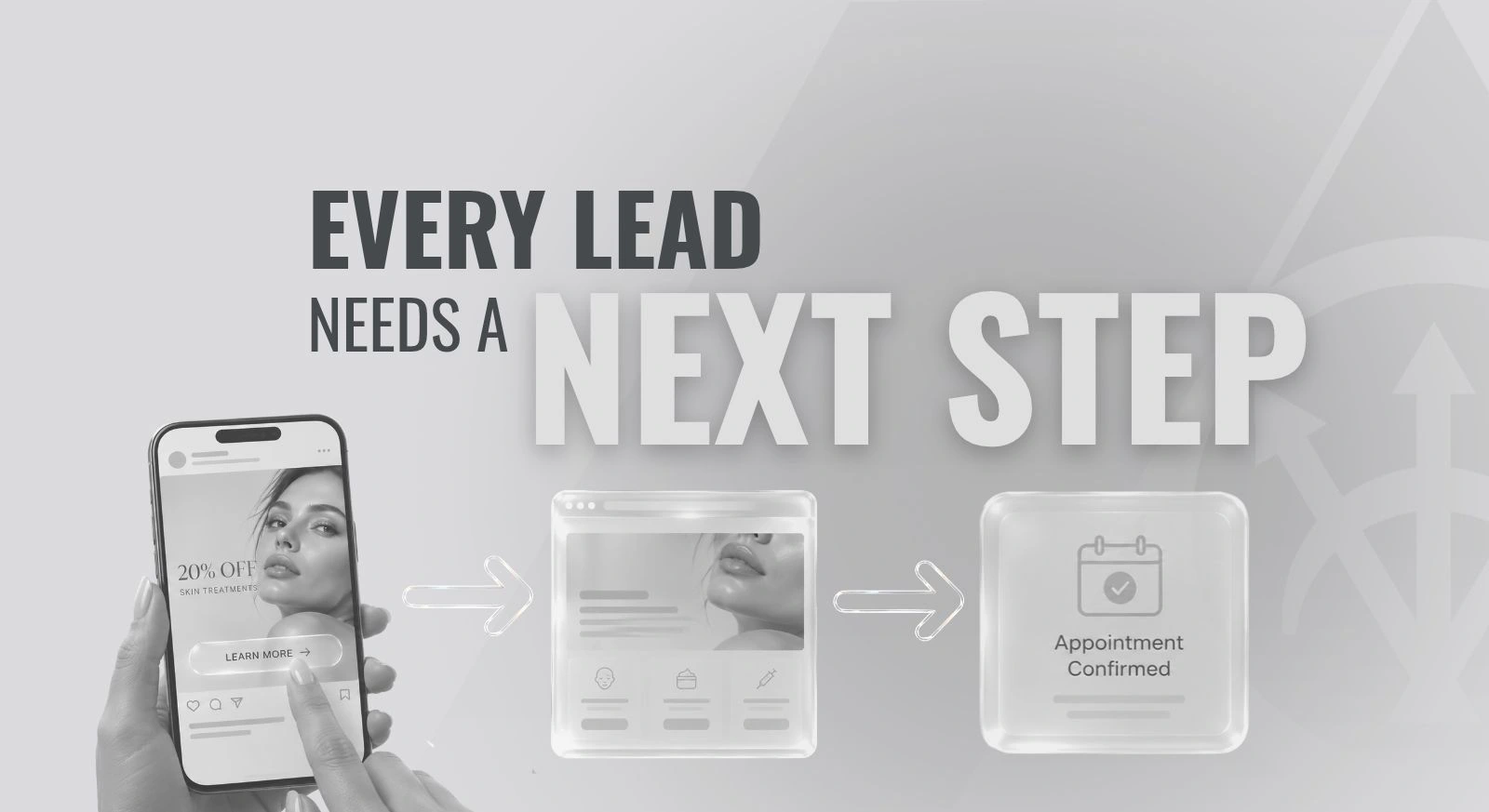
Here’s something I tell my team all the time: before we create a campaign, we need to determine what we want the lead to do.
We can make a beautiful ad, but if someone clicks and doesn’t know what happens next, we’ve let both the lead and the client down.
With holiday promotions coming up, this is a good time to look beyond the graphic and walk through the experience you’re creating. The same approach applies throughout the year, whether you’re promoting a med spa special, an ophthalmology consultation, a plastic surgery event, or a health and wellness service.
Start with the action before you start designing
“Get more interest” is a starting point, but it doesn’t tell your team what to build. Be specific about the action you want someone to take and what your practice is prepared to do afterward.
For example:
- If the goal is appointments, decide whether people can actually book online or need to request a time.
- If the goal is offer requests, decide what information your team needs and who will respond.
- If the goal is event attendance, create a registration process and a way to distinguish registrations from actual attendance.
Choose one primary action for each offer. A specials page can feature several offers, but each should have an understandable next step.
The action should also fit the person’s stage of decision-making. Someone learning about a surgical procedure may need a consultation before making a treatment decision. Your campaign should help them reach that appropriate next step.
And remember, a promotion doesn’t have to be a discount. You might be inviting people to an educational event, introducing a service, or encouraging them to plan a consultation.
Make your message and destination page match
When someone clicks an ad or email, the next page should pick up where that message left off.
If you promote a particular package, the visitor should be able to find that package, understand what’s included, and see how to request it. Sending them to a general homepage makes them search for the reason they clicked in the first place.
Picture a holiday email featuring a med spa offer. The button says “Request This Offer,” but opens the homepage. The visitor must locate the specials, identify the right one, and work out how to contact the practice.
A clearer path takes them to the relevant offer on your specials page. The details match the email, and a nearby button opens a request form that identifies the offer. The team receiving it knows what the person is asking about.
Check the treatment or service name, inclusions, dates, participating locations, and next step across every campaign element. If an offer changes during review, update the email, ad, page, and form together.
Choose a dedicated landing page or your specials page
You don’t need to build a new page for every promotion. Choose the destination based on what someone needs to understand and do.
A dedicated landing page can be useful when one campaign needs focused explanation. A consultation campaign, for example, may need room for provider information, common questions, and a clear description of the consultation process.
An existing specials page can work well when it clearly separates the offers, provides the necessary details, and gives each offer its own call to action. It can also be the right destination for an email featuring several promotions.
For a single-offer message, link directly to that offer’s section when your website supports it. Make a multi-offer page easy to scan.
Choose the destination that supports the campaign rather than creating extra pages without a clear purpose.
Give people the information they need to decide
A prominent button helps, but people still need to understand what they’re responding to.
Before asking someone to act, make the relevant details easy to find:
- What the offer, service, consultation, or event includes.
- Pricing and important restrictions, when applicable.
- Who the offer is intended for, including any new-patient or existing-patient limitations.
- Where it is available and any provider-specific restrictions.
- The deadline to request or purchase, and any separate deadline to use the offer.
- What happens after the person books, registers, or submits a request.
Include appropriate practice and provider information, with links to service details that support the decision.
Have the appropriate practice team review treatment claims, eligibility language, availability, and promotional terms before launch. A request form or promotional offer should not imply that someone has already been determined to be a treatment candidate.
Make the call to action specific and accurate
Your call to action is the instruction that helps someone take the next step. Its wording should describe what the destination actually allows them to do.
“Book an Appointment” makes sense when someone can choose an available appointment and complete the booking process. If the form only asks staff to contact them, “Request an Appointment” is more accurate.
“Request This Offer” works when someone is expressing interest and your team will respond. Make that expectation clear on the form and in the confirmation message. Submitting a request should not appear to reserve an appointment or complete a purchase unless it actually does.
“RSVP for the Event” should lead to event registration, with the date, time, location, and confirmation information readily available.
Make the primary action easy to notice. You can still offer a way to ask a question, but avoid giving every button equal prominence if that makes the main next step unclear. For more on making appointment actions accessible across a website, see our guide to practice website booking.
Apply the same approach across medical specialties
These illustrative examples show how the planning approach adapts to different practices.
Med spa: A seasonal offer leads to its section on the specials page. The details explain what is included and any restrictions. The button lets someone request the offer or book, depending on the practice’s actual process.
Ophthalmology: A LASIK consultation campaign leads to information about the consultation, the practice, and what to expect. The action is to request or book a consultation, not to imply that someone can book surgery before evaluation.
Plastic surgery: An educational event campaign leads to a page with the topic, presenter, date, location, and registration form. The next step is an RSVP, with a clear confirmation afterward.
Health and wellness: A service campaign leads to information about the visit and the provider. The call to action explains whether someone is booking an initial appointment or requesting a conversation with the team.
Plan the response and measure the goal
Before launch, decide who receives the inquiry, who is responsible for responding, and how the team will know which promotion generated it. Make sure the confirmation tells the person what happens next, using expectations your team can realistically meet.
A medical practice CRM can help organize requests, notify the appropriate team, and track progress. The workflow still needs a clear owner. Automation should support the response process you have agreed on.
Measure the action you planned for. Clicks can tell you whether people are engaging with the message, but they don’t tell you whether the campaign produced appointments or registrations.
Keep the stages separate: an inquiry is not a confirmed appointment, and an event registration is not attendance. If a promotion generates requests but few appointments, review what happens between those steps before assuming the ad needs to be replaced. Use your practice’s approved tracking and privacy processes when connecting campaign activity to outcomes.
Use this checklist before your next promotion goes live
Walk through the campaign from the prospective patient’s perspective:
- Goal: Is the desired action clear for each offer?
- Details: Are the offer, dates, limitations, and locations accurate and consistent?
- Destination: Does the link lead to the relevant information without a search through the website?
- Call to action: Is it prominent, and does its wording match what actually happens?
- Confirmation: Does the person know what to expect after submitting?
- Team ownership: Does the inquiry reach the right person with enough context to respond?
- Phone test: Can someone read the details and complete the action on a phone?
- Expiration: Who will update or remove the promotion when it ends?
- Measurement: Can you distinguish interest from the appointments, requests, or registrations you wanted?
Click the actual campaign link, complete a test submission, and confirm that it reaches the intended person. For holiday campaigns, account for office closures and staff coverage before setting response expectations.
Start with the action you want someone to take. Then make sure your ad, your page, and your call to action all point them there.
If you’re planning a holiday promotion and want help putting the pieces together, reach out to our team at SILVR. We hope you find this content useful!

About the author
Loryn Lyle is the founder of SILVR Agency, a digital marketing agency serving medical and aesthetic practices. She works with ophthalmology, plastic surgery, med spa, and health and wellness teams on SEO and AI search visibility, website experience, paid advertising, and CRM strategies that connect marketing with patient inquiries.